FigCraft
UI design & prototyping · Figma Figma alternative
Auto layout, components, variables and prototypes, in local files you own.
CAD & drafting · v0.6.2 · Alpha
CADCraft is the computer-aided design and drafting app of the Crafting Apps: an open-source, clean-room take on Autodesk AutoCAD. Type L, click two points and you're drawing. It has object snaps, layers, dimensions, hatches, blocks, multileaders, tables, paper-space layouts with viewports and PLOT to PDF, on DXF and DWG drawings.
The online version is the official web build from the v0.6.2 release (2026-10-12). It runs locally in your browser; a desktop browser with WebGPU or WebGL2 works best.
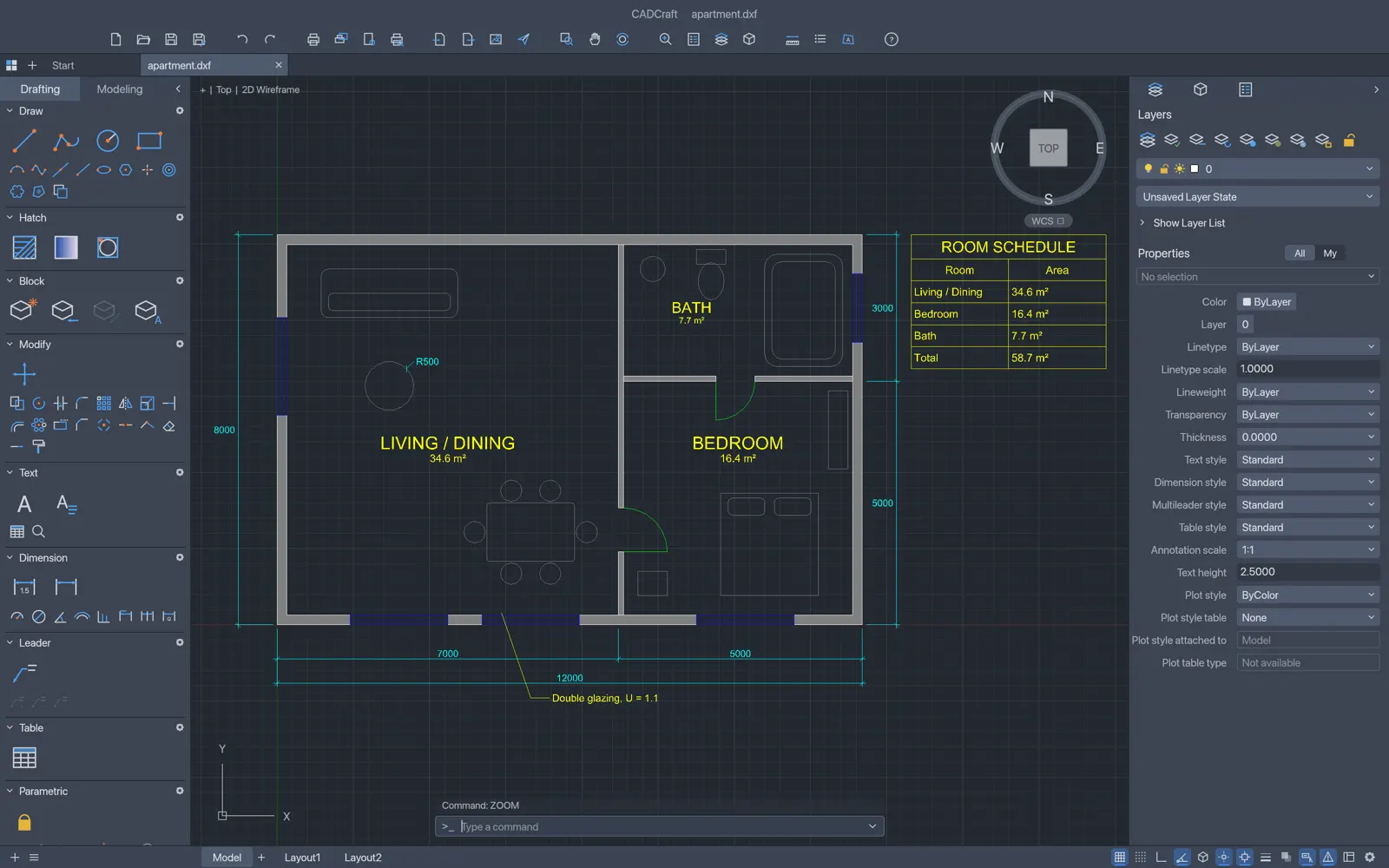
A command line with AutoCAD's command names and aliases, object snaps, ortho, polar tracking and grips.
Dimensions, TrueType MTEXT, tables, multileaders and pick-point hatching with standard patterns.
Paper space with viewports, page setups and PLOT to PDF.
Blocks, layers with properties and drawing organization that carries over from AutoCAD.
Right-to-left Persian, Arabic, Urdu and Hebrew, CJK fallbacks and any TTF/OTF font.
MCP tools such as command_line and execute let agents draft through the same commands you type.
cadcraft-0.6.2-windows-x64.msi (or the portable zip; ARM64 and x86 builds exist).cadcraft-0.6.2-macos-universal.dmg, which is signed and notarized for Apple Silicon and Intel..deb, .rpm or Flatpak for your distro.SHA256SUMS.txt in the same release.Yes. CADCraft reads DWG and writes DWG R2000. DXF is its native format (ASCII and binary, R12 through 2018).
Yes. CADCraft is free and open source under MIT OR Apache-2.0. There is no subscription, no account and no telemetry.
Yes. CADCraft compiles to WebAssembly, and this site hosts the official v0.6.2 web build at artcraftsuite.org/app/cadcraft/. It runs entirely in your browser, and files you open are not uploaded.
Only from getartcraft.com/apps/cadcraft or the Releases page of github.com/storytold/cadcraft. Avoid look-alike GitHub repos that offer a "local zip" or password-protected archive: they are not the official project.
Yes. Releases include Windows installers and portable zips (x64, x86, ARM64), a universal macOS DMG, Linux AppImage, deb, rpm and Flatpak (x86_64 and aarch64), FreeBSD builds and the web version.
CADCraft is one of the ArtCraft Crafting Apps, developed in the open at github.com/storytold/cadcraft. It is a clean-room project and is not affiliated with Autodesk.
UI design & prototyping · Figma Figma alternative
Auto layout, components, variables and prototypes, in local files you own.
Image editing · Adobe Photoshop alternative
Layers, masks, type and real PSD files, in a free photo editor written in pure Rust.
Vector illustration · Adobe Illustrator alternative
Pen, Pathfinder, gradient mesh and SVG/PDF in a fast, free vector editor.